


 0
0
What NNTP Pipelining Does
NNTP pipelining allows SABnzbd to request multiple articles from a Usenet server without waiting for each response before sending the next request. Instead of a strict request‑and‑wait pattern, SABnzbd keeps a steady flow of requests in transit.
This reduces idle time between requests and can improve transfer efficiency, particularly when there is noticeable latency between your system and the Usenet server.
When It Helps
NNTP pipelining is most useful in situations where request delays slow down throughput:
- Higher latency connections (for example, long-distance routing)
- Lower connection limits on your account
- Systems where each request/response cycle adds measurable delay
In these cases, pipelining helps maintain a more consistent stream of article retrieval.
When It May Not Make a Difference
If your connection is already reaching its maximum throughput, pipelining may have little impact. This often happens when:
- You are using a high number of connections
- Your available bandwidth is already saturated
- Latency to the server is low
In these scenarios, adding more parallel requests does not increase total throughput.
How to Enable NNTP Pipelining in SABnzbd
Turning on pipelining in SABnzbd only takes a minute once you know where the setting lives. It’s tucked inside your server configuration rather than the main interface.
Step 1: Go to Your Server List
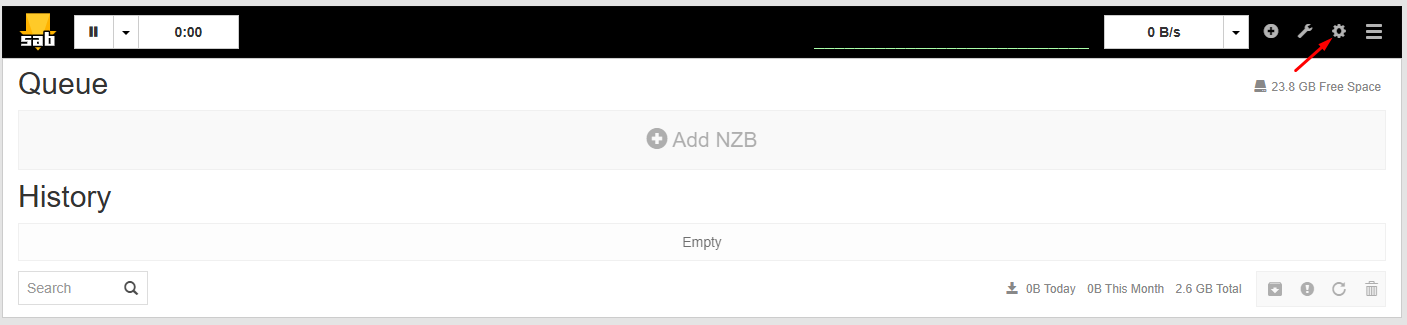
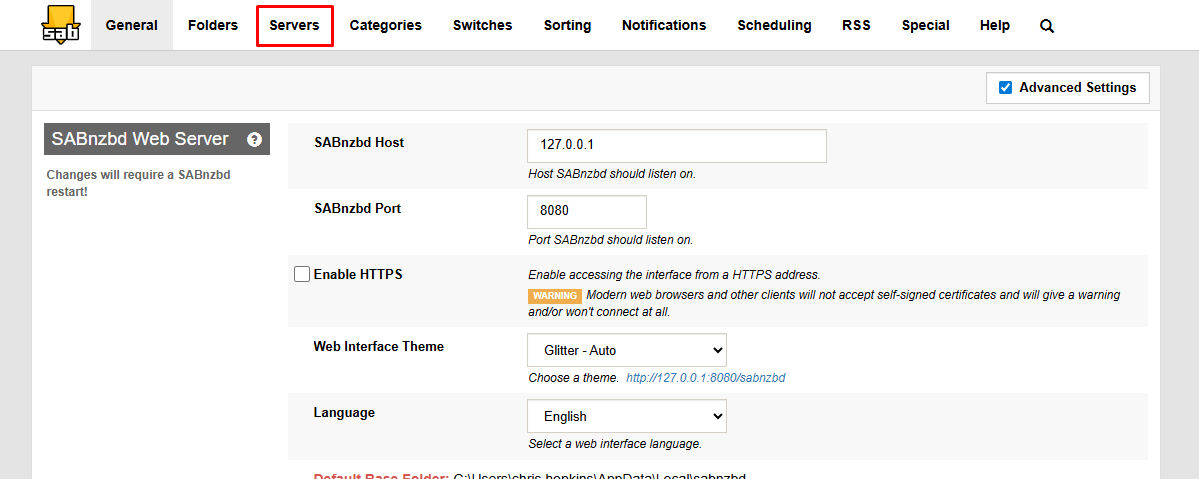
Open the SABnzbd web interface, click Settings, then switch to the Servers tab where your Usenet connections are listed.
Step 2: Expand the Server Settings
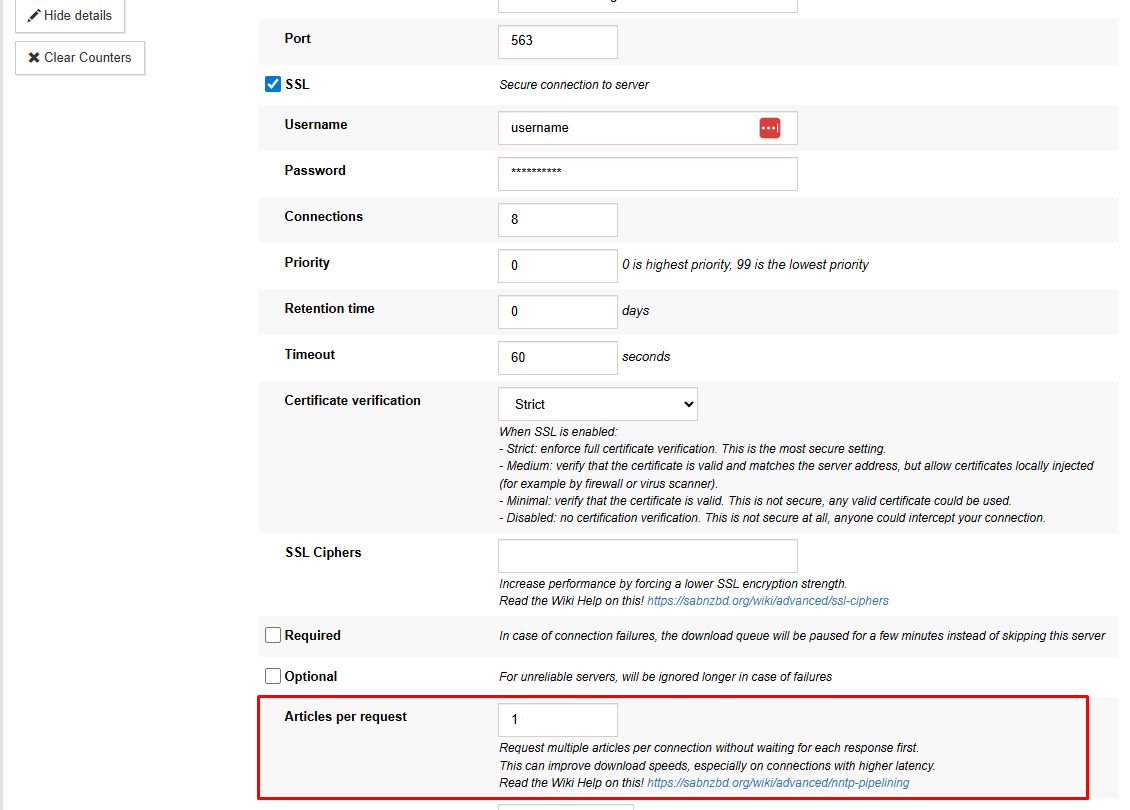
Find the server you’re actively using and click Show Details. This opens a more detailed view with additional performance options.
Step 3: Adjust the Request Behavior
Look for the field labeled Articles per request. This controls how many articles SABnzbd asks for in a single batch instead of one at a time.
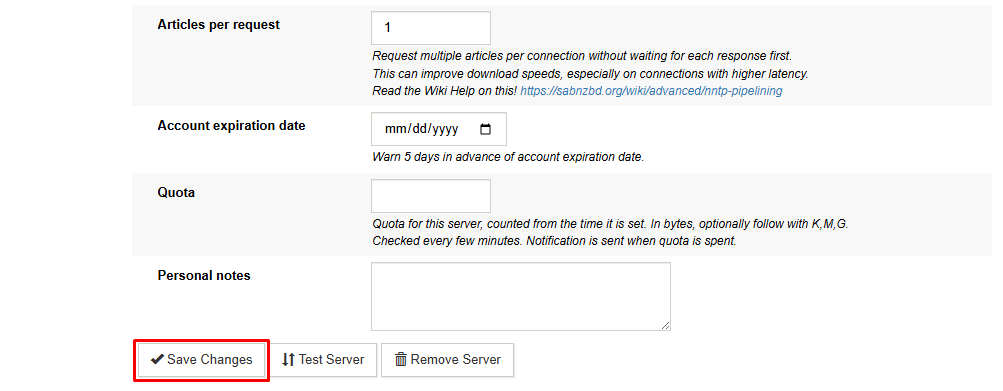
Enter a value, then click Save Changes to apply it.
Choosing a Value
There is no single ideal number for every setup. Start with a moderate value and adjust based on performance:
- Increase the value if speeds are inconsistent or lower than expected
- Reduce the value if you notice instability or no improvement
Test changes incrementally to find the best balance for your connection and system.
Where NNTP Pipelining Has the Most Impact
NNTP pipelining can improve performance by reducing idle time between article requests, especially on high-latency connections or when using fewer connections. These gains become less noticeable once your connection is already fully utilized


